Choose Aligned Giving or keep your current giving
This is the one decision Setup asks you to make before giving setup, texting and a few other steps, because it sets what Aligned Church costs you. Give through Aligned and every module is $0 a month once your giving is set up. Keep the giving platform you already have and it's $10 a month per module. Neither choice charges anything today.
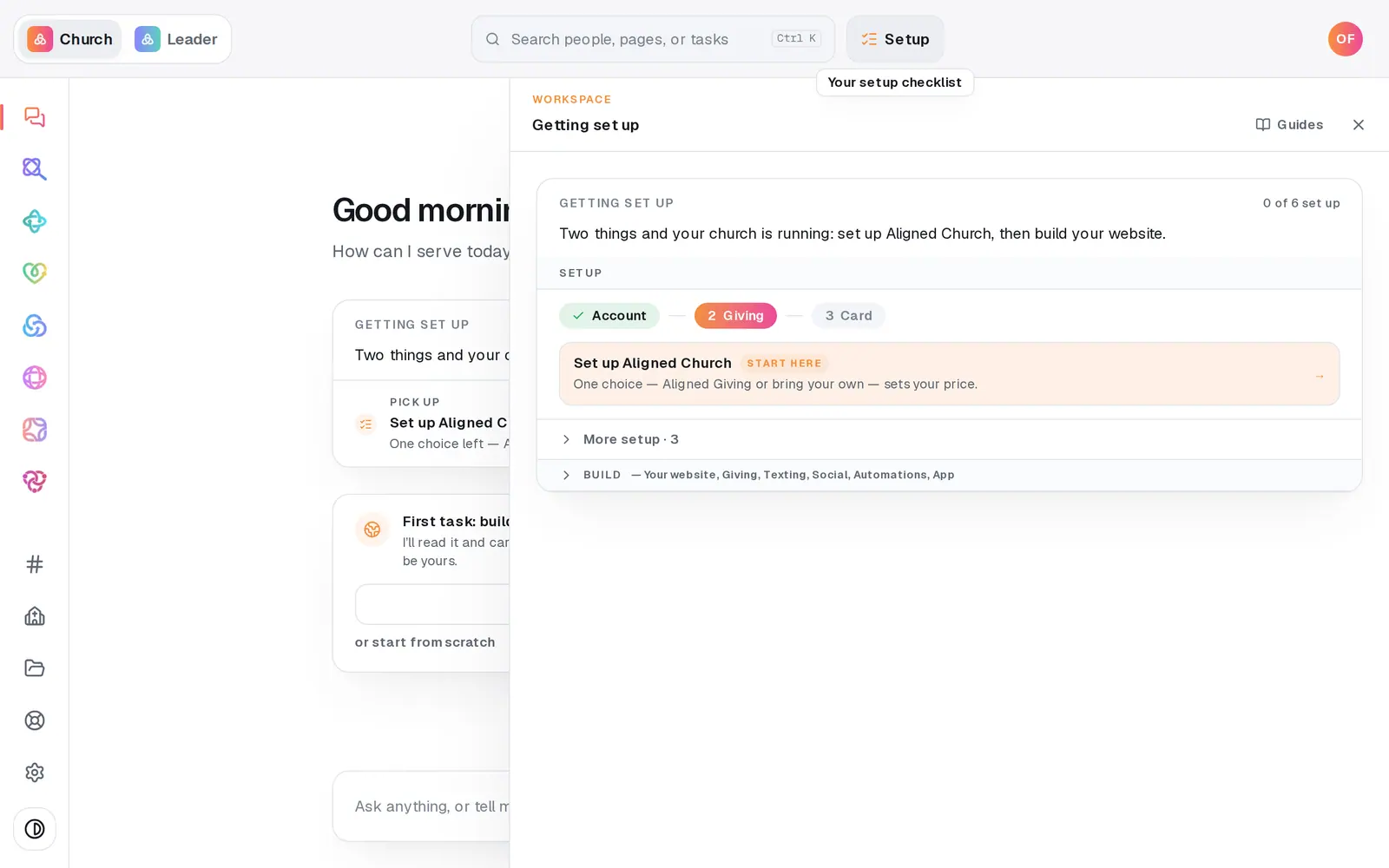
1/5 · Press Setup at the top, then Set up Aligned Church
Good to know
- Not ready to decide? Choose this later closes Setup without recording anything. You can keep working: building your website, adding people, automations, research, files and drafting social posts all run before this choice. Giving setup, texting, serve requests and publishing an article wait for it, and Set up Aligned Church stays lit until you make it.
- Already take gifts somewhere else? Choosing Aligned Giving doesn't mean starting over. Your people, donors and giving history come with you, and our team can move recurring gifts and saved cards over by hand.
- Need only one module, like just the website? Choose Bring your own giving and tick only that one. With Aligned Giving every module comes included, and you can drop any you won't use later in Settings → Plan.
- Nothing is ever charged without an email first, at least 7 days ahead. Settings → Plan always shows where your church stands and any date that matters.
If it’s not working
I picked the wrong one
Before your card is saved, press Back on the Plan step to return to the choice. With bring your own, Back goes to the module list first, and Change how you give there takes you to the choice. You can also type “change my giving choice” in the chat and tap the other card. Once your card is on file, modules change in Settings → Plan.
Our giving application is already with the bank and now we want to keep our own platform
Once the application has gone to the bank, the chat won't switch you to bring your own, because a tap can't undo an application. Message us from Help and a person will sort it out with you.
It says “Set up Aligned Church and this happens for real”
Giving setup, texting, serve requests, publishing an article and syncing live data wait for the giving choice, and it's still open. Press Setup at the top, then Set up Aligned Church, and tap a card. That clears it everywhere at once.
I typed “bring my own” and nothing was recorded
Typed words never record the choice, because it sets your price. The chat shows the two cards instead, and a tap on one records it.
Next, you might want to
- Switch your plan on so you can publish and sendPut a card on file to switch your plan on. Nothing is charged today, and publishing, sending and connecting open up.
- Get your church set up, step by stepUse the Getting set up checklist and “What's next?” to finish setup in the order that gets you running fastest.
- Start receiving gifts onlineRegister your church for Aligned Giving on the Setup page or in the chat, and know what happens after you press the button.
- Move your giving from Tithe.ly, Pushpay or another platformChoose Fresh Start or Full Carryover, and see what happens to your donors, their history and their recurring gifts.