Bring in a Meet call Google already transcribed
Google Meet already wrote down every word of the call, so there's nothing left to record. Aligned can bring that transcript in and write it up like any meeting it recorded itself.
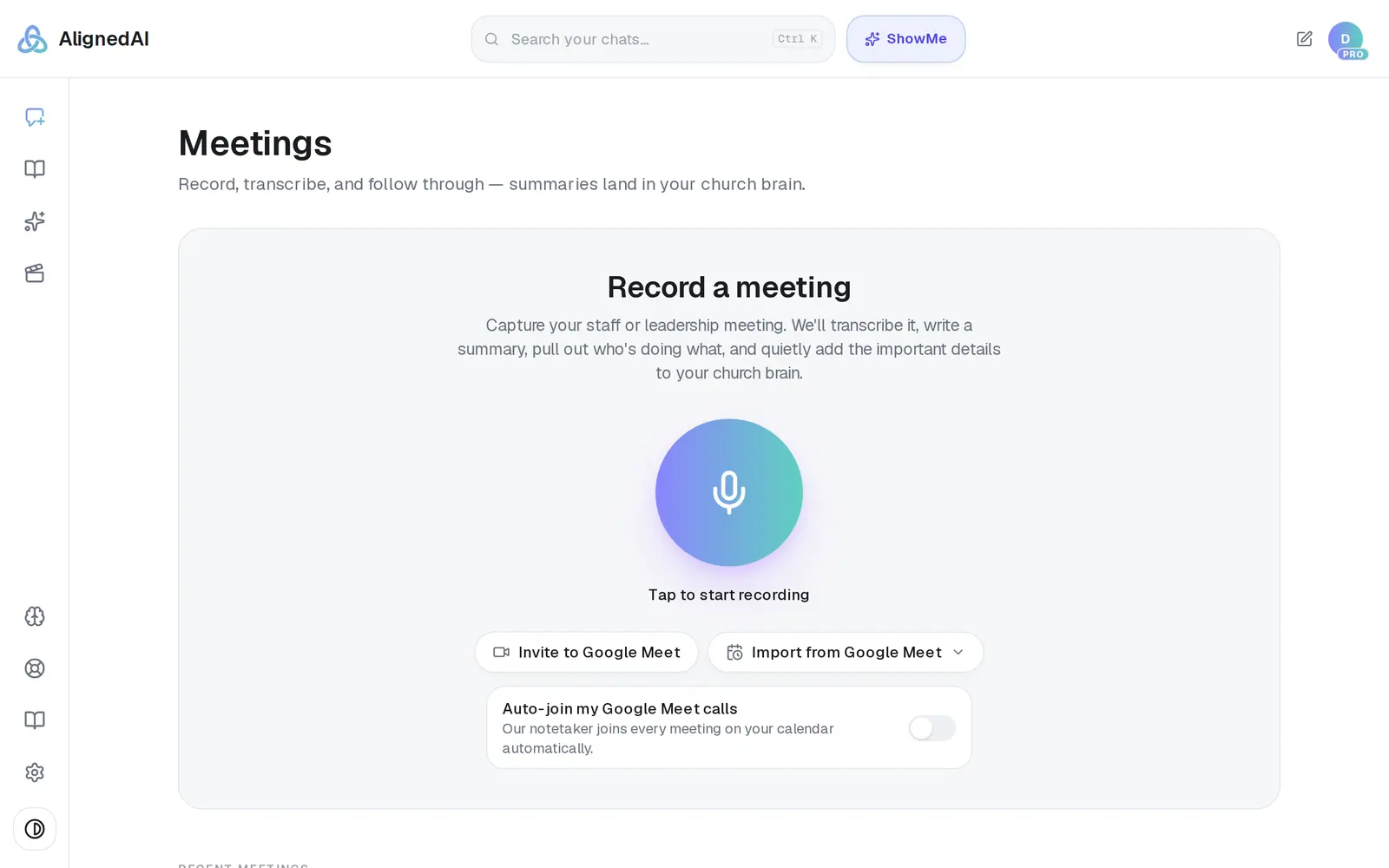
1/5 · On Meetings, press Import from Google Meet
Good to know
- If your calls aren't being transcribed by Google, send Aligned's notetaker into them instead — it doesn't need Google's transcription turned on.
- Want the action items as a checklist? Press Save as plan under them once the meeting is Ready.
- Can't see Record meeting? It's hidden while a document is open beside the chat, so close the document first. On a phone, swipe to the very bottom of the list.
If it’s not working
It says “Connect Google to import the meetings it already transcribed.” or “Reconnect Google with Meet access…”
Aligned can't read your church's Meet calls yet: Google isn't connected, or it was connected before Aligned could read Meet calls. Press Connect Google (or Reconnect Google), sign in with your church's Google account and allow access — nothing you already connected stops working. Then open Meetings and press Import from Google Meet again. A page that says “Not permitted” means only the church's owner or an admin can connect it. If your account started in Aligned Church and your church has no plan there yet, Connect Google opens Aligned Church with Setup open instead of Google's page: finish Setup, then press Connect Google in Meetings again.
It says “No transcribed Google Meet recordings were found on the connected account.”
Google hasn't transcribed any recent calls on that account. The call's host has to have transcription turned on in Google Workspace — or send Aligned's notetaker into your next call instead.
It says “That meeting has no transcript.”
Google had no transcript to hand over for that call when you pressed Import, so there's nothing to bring in. Tap outside the list to close it, then press Import from Google Meet again and pick another call.
It says “You've used today's free requests. Meeting notes count as a request…”
Each call you bring in counts as one request, and today's free ones are used up. Nothing was imported and nothing is lost: your free requests come back at midnight, or Pro removes the limit. If it names this month's requests instead, they come back on the 1st.
Google says “This app hasn't been verified by Google”
Everyone who connects Google sees this page, and nothing is wrong on your side. Google shows it while it finishes verifying an app that sends email as you and uses your calendar and contacts, and the developer address it names is ours. Choose Advanced at the bottom-left, then the Go to … (unsafe) link under it, then allow the permissions.
Next, you might want to
- Send a notetaker into your Google Meet callsInvite Aligned's notetaker to one Google Meet call, have it join every call on your calendar, or stop it joining.
- Read your meeting notesOpen a finished meeting's summary, action items and transcript — then turn it into something new, or delete it.
- Connect your email and calendarLink Gmail or Outlook so your assistant can read and add to your calendar and send email from your own address — or share only your calendar.
- Fix a meeting that failed or is stuckWhat to do when a meeting sits on Summarizing… or says Failed — and how to make sure the next one comes through.