Find your way around Aligned
The first time you open Aligned it can look like a blank page with a row of little icons down the side. Every place in the app is one of those icons or something in the bar across the top — here's what each one is, in about two minutes.
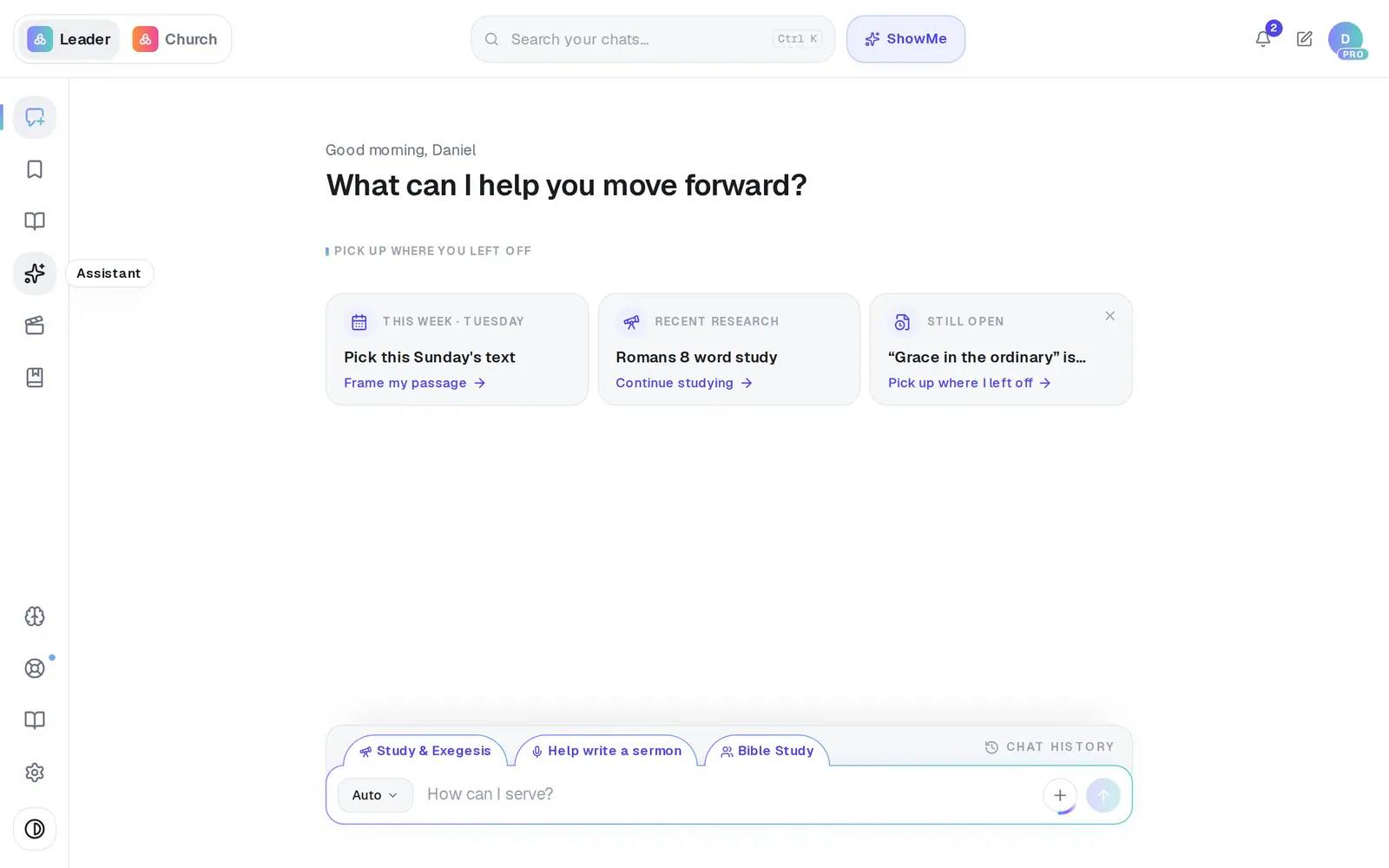
1/6 · Hover an icon in the left rail to see its name
Good to know
- Your past conversations live in Chat History, the bar at the top edge of the message box. Its search reads the words inside your chats, not only their names.
- Meetings and Automations don't have icons of their own: Record meeting is at the bottom of the format menu in the message box, and Automations is a button at the top of the Assistant.
- Aligned Church, our app for your church's website, giving and people, opens at aligned.church/church with the same account. Once your church uses it, a Leader | Church switch at the top-left moves between the two.
- A “Start here!” bubble pointing at the message box on your first visit goes away when you open the format menu, press its ×, or press Escape. It won't come back.
If it’s not working
Where's my list of chats?
It isn't in the rail — the rail is icons only. Click Chat History at the top edge of the message box and your chats slide up, newest first.
I don't see Saved or Books
They appear once there's something in them: Saved after you save your first piece of work, Books after you start a book. Nothing is missing from your account.
A big “Aligned Church” window popped up
It's a one-time introduction to our church app for church owners. Close it with the × at the top-right and it won't come back, or pick Remind me later.
My tab refreshed by itself
When we ship an update, a tab you've switched away from for a minute refreshes itself so you're on the latest version — never while it's on your screen. It waits while you're typing, while an answer is being written and while a document is open, and when you come back the same conversation is there, just as you left it.
Is there a tour I can replay?
Yes, one for each task: ShowMe, next to the search at the top, lists the topics — pick one, press Walk me through it on the guide you need, then ShowMe at the top of the guide, and it walks you through the steps on your own screen, ringing each real button as you go.
Next, you might want to
- Find your way around on your phoneThe bar along the bottom, the More menu and its search — where everything in Aligned lives on a phone.
- Get walked through a task, step by stepOpen ShowMe, pick a topic, and follow a guide — watch its walkthrough, or have it walk you through the steps on your own screen.
- Get help from a real personMessage the Aligned team, send a feature idea or bug report, and know what happens after you send.