You hit today's limit — here's what to do
You were in the middle of something and the chat stopped to show you a window about Pro. Nothing is lost: the free plan paces requests through each day as well as the month, today's have run out, and they come back on their own at midnight where you are.
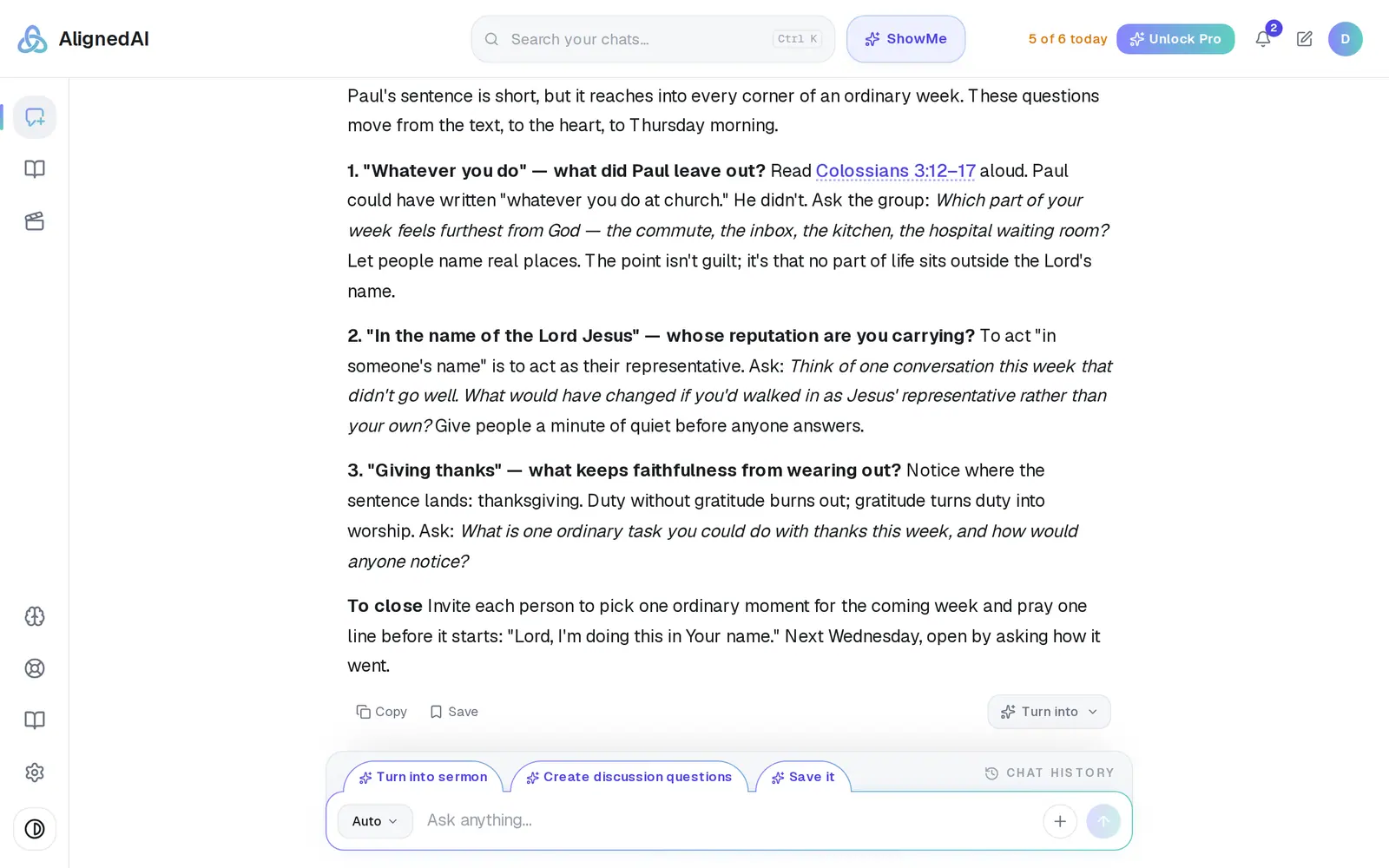
1/7 · Watch the counter beside Unlock Pro — it turns amber when one request is left
Good to know
- Deleting chats doesn't give requests back. The count lives on your account.
- The month has its own ceiling of 200 requests. Reach that and the window says “You've reached your monthly limit”; it clears on the 1st of next month (UTC), or with Pro.
- Generated images have a separate allowance of 20 a month. When it runs out, the Pro window opens and says “You've reached your monthly image limit.”
If it’s not working
I only asked a few things and I'm already out
Every answer counts, including each new draft, each rewrite of the same sermon, quick questions and short follow-ups, and an image request counts too. Only a question about using Aligned itself is free. What's included in the free plan explains what counts.
Nothing warned me before it stopped
The counter beside Unlock Pro is the only warning: it turns amber when one free request is left today (on a phone, it's at the bottom of the menu behind the top-left icon).
It says “You've used this month's free requests.”
That's the monthly ceiling, not the daily one, so tomorrow won't bring more. It clears on the 1st of next month (UTC), or right away with Pro.
The window opens again every time I come back today
That's expected while you're over for the day. Close it and your chats are all there; after your midnight it stops.
We're on Pro and it told me I hit a limit
That shouldn't happen — Pro has no limits. Reload the page; it usually clears. If it doesn't, message Support so we can fix it.
Next, you might want to
- What's included in the free planWhat counts as a request, how many you get, when they reset, and where to see what's left.
- Upgrade to ProWhat Pro adds, what it costs, and how to pay monthly or yearly — on the web or from the phone or Mac app.
- Earn extra requests by reviewing or sharingLeave an honest review, or give Aligned to a pastor friend, and get extra requests on the free plan.