Start Aligned Church if you already use Aligned Leader
You already write sermons and studies in Aligned Leader. Aligned Church is the church-office side of the same account: your website, giving, texting and your people, run from one chat. Starting it changes nothing in Aligned Leader.
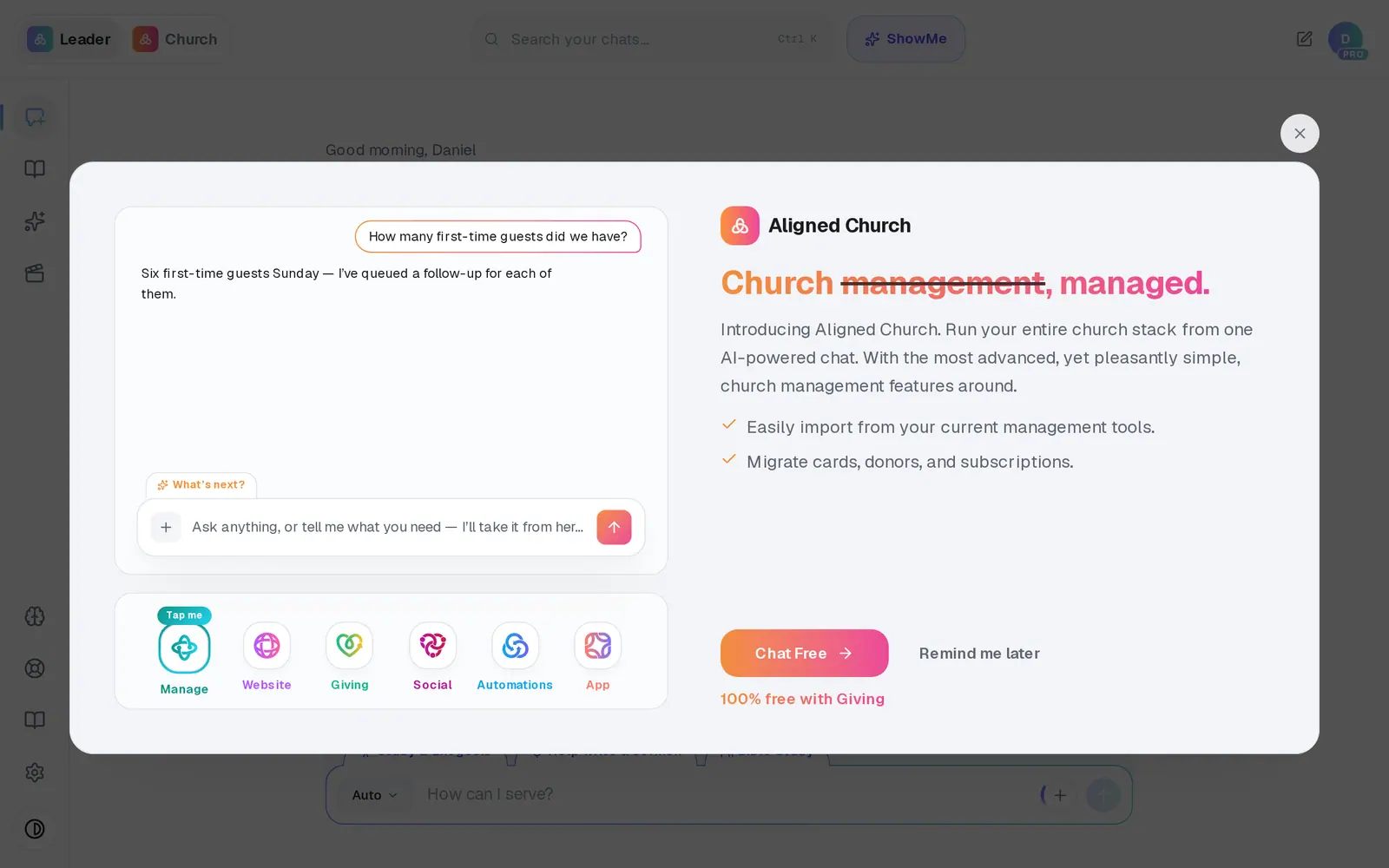
1/5 · In Aligned Leader, press Try AI Church Management on the Introducing Aligned Church card
Good to know
- Aligned Leader Pro and Aligned Church are separate plans. Starting Aligned Church doesn't change your Pro plan.
- Ask for a sermon or study in the Aligned Church chat and a button carries your words over to Aligned Leader.
- On the card, Remind me later brings it back after a day, twice at most. The × puts it away for good, and aligned.church/church still opens Aligned Church any time.
If it’s not working
I don't see the Introducing Aligned Church card
It only shows to your church's owner, and only before your church has started Aligned Church. Go to aligned.church/church instead.
There's no Getting set up card on my Home screen
That's expected for a church that has used Aligned Leader for a while. Press Setup at the top of the screen and your checklist opens there, with Set up Aligned Church marked Start here.
It says to ask my church's owner
You're signed in on a staff seat. Only the account owner can start Aligned Church for your church, so ask them to open it.
The card keeps coming back
Remind me later brings it back after a day. Press the × at its top right to put it away for good.
Next, you might want to
- Choose Aligned Giving or keep your current givingDecide how your church will give. It sets your price and how long you have to get set up, and nothing is charged today.
- Get a sermon or Bible study writtenAsk for a sermon, study or lesson in Aligned Church, and it opens in Aligned Leader with your words ready to send.
- Find your way around your church workspaceWhere your modules live, how to change pages, search for anything, and get back to the chat.